Knows where you are
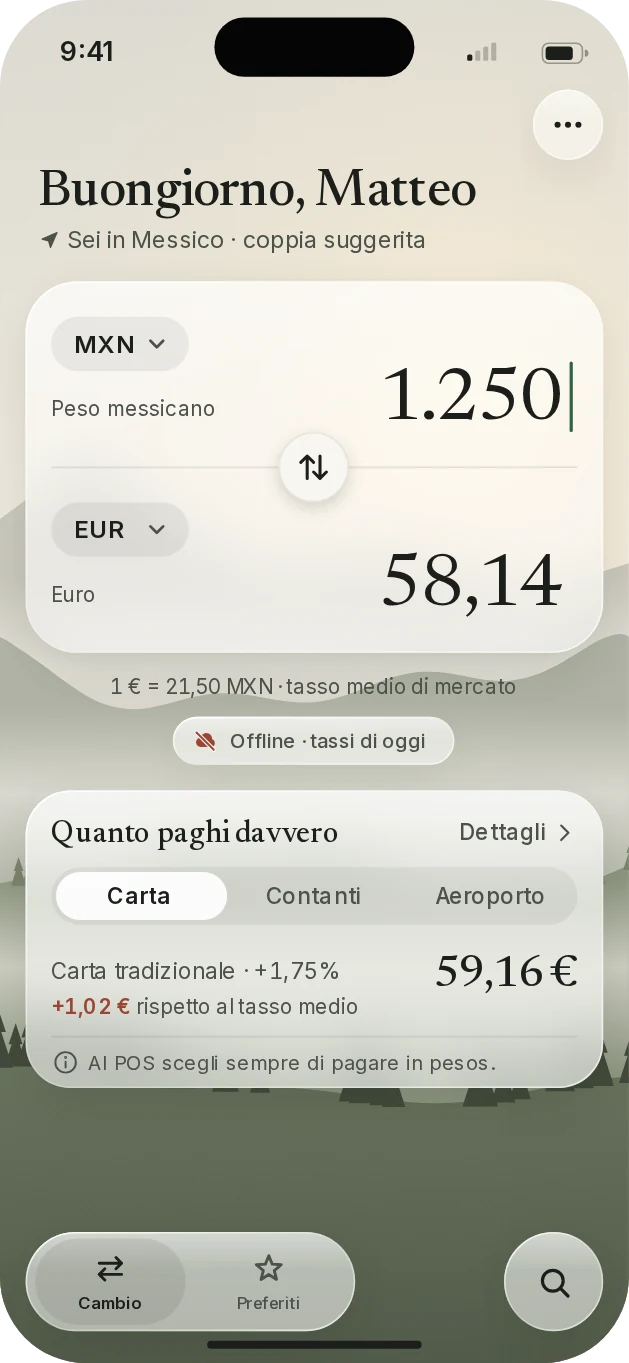
Land in Mexico and pesos and euros are already set up. The app works out the country on your phone, with no connection and without sending your location to anyone.
App for iPhone
Valico works out which country you're in, remembers the currencies you use and tells you what you really pay. Even without a connection.
Requires an iPhone with iOS 26 or later. The app is currently in Italian.
A few things, done well: you find them when you need them, without having to look.
Land in Mexico and pesos and euros are already set up. The app works out the country on your phone, with no connection and without sending your location to anyone.
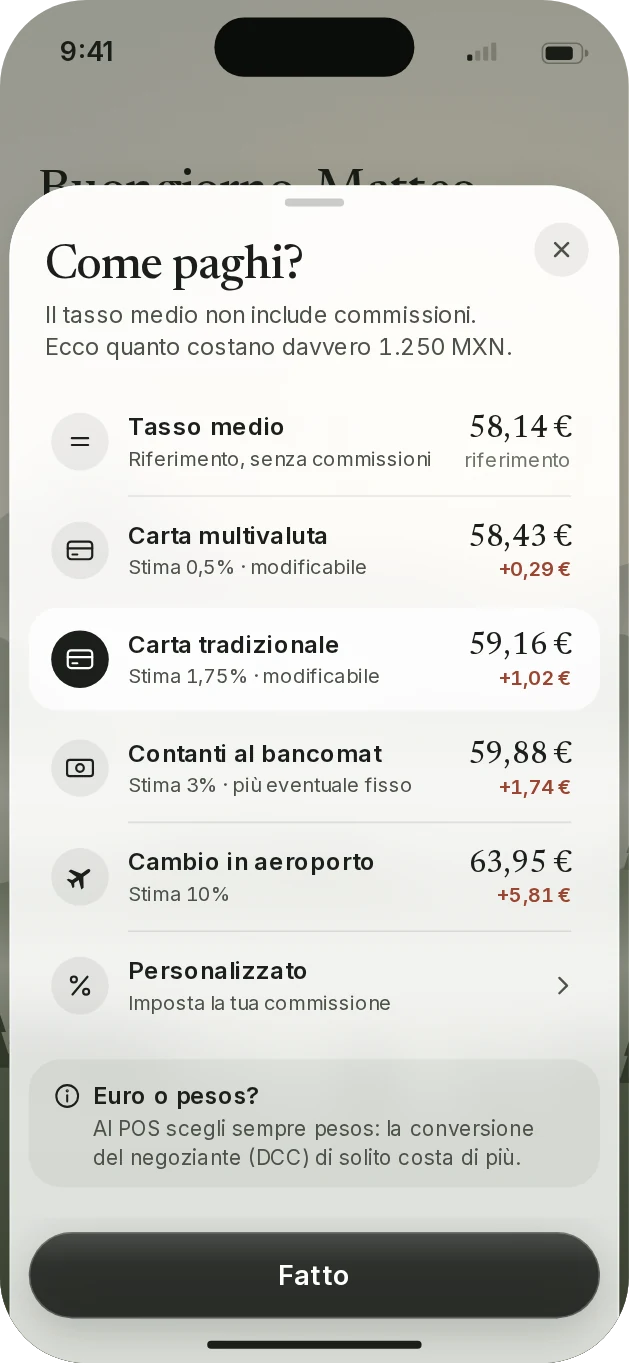
The mid-market rate doesn't include fees. Pick card, cash or airport exchange and see the difference in euros, with a reminder: at the checkout, always pay in the local currency.
It keeps the latest rates and tells you how recent they are. Every pair is calculated on your phone, not just the ones you've already looked at.
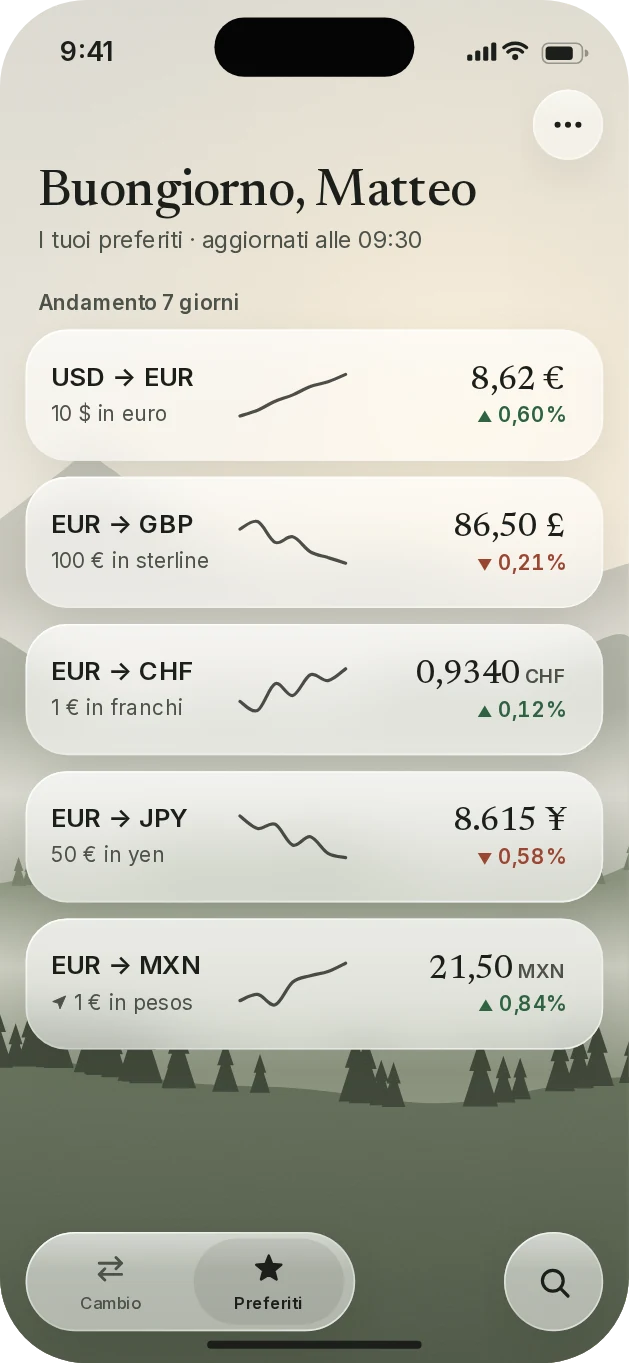
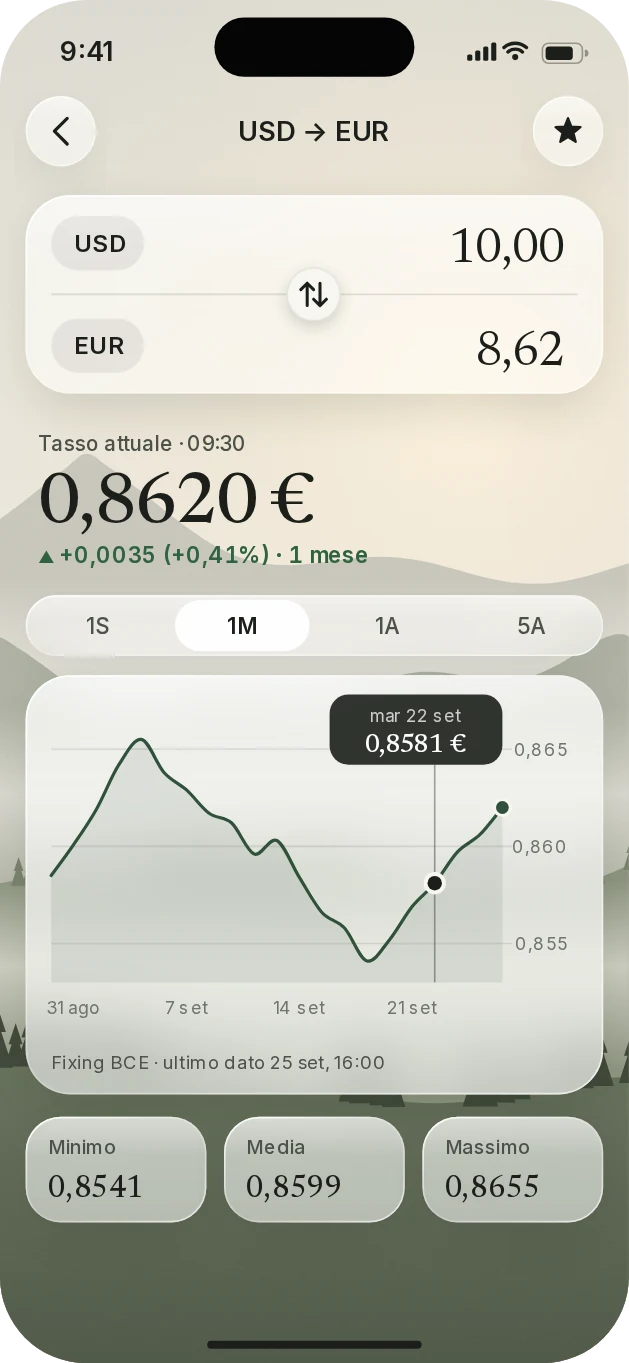
Up to five pairs on your home screen, each with its own reference amount. Tap for the chart: one week, one month, one year or five.
Type “Mexico” and find the Mexican peso. Type “dollar” and see every variant.
A landscape that follows your phone's theme, with text and numbers that always stay easy to read.
Other apps show you the mid-market rate and stop there. Valico also shows what paying that way really costs you, so you can choose before you pay.
| How you pay | Amount | Compared to mid-market |
|---|---|---|
| Mid-market rate | €58.14 | reference |
| Multi-currency card | €58.43 | +€0.29 |
| Traditional card | €59.16 | +€1.02 |
| ATM cash | €59.88 | +€1.74 |
| Airport exchange | €63.95 | +€5.81 |
Illustrative example. Fees are estimates and you can edit them in the app.
The landscape, the glass, the serif numbers: designed to be beautiful and easy to read.
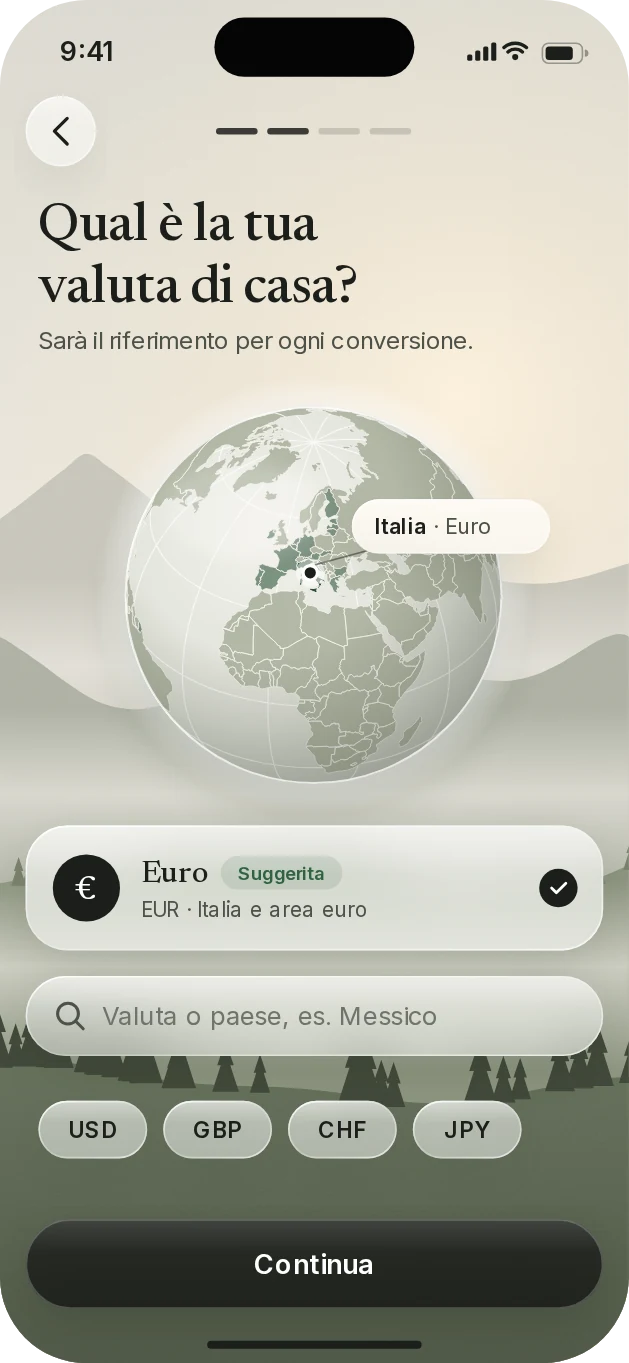
No sign-up needed. Your name, currencies and favorites stay on your iPhone.
No ads, cookies, analytics or third-party libraries following you around.
The country is worked out on your phone. Coordinates are never stored or sent.
Write to me. I read everything.
support@matteopapini.com